

Activate Airgapped Edition license
Once your air-gapped installation is running, you'll need to activate your workspace with the license file.
- Login to the Prime portal with the same email address you used to purchase the paid plan.
- Go to Manage licenses.
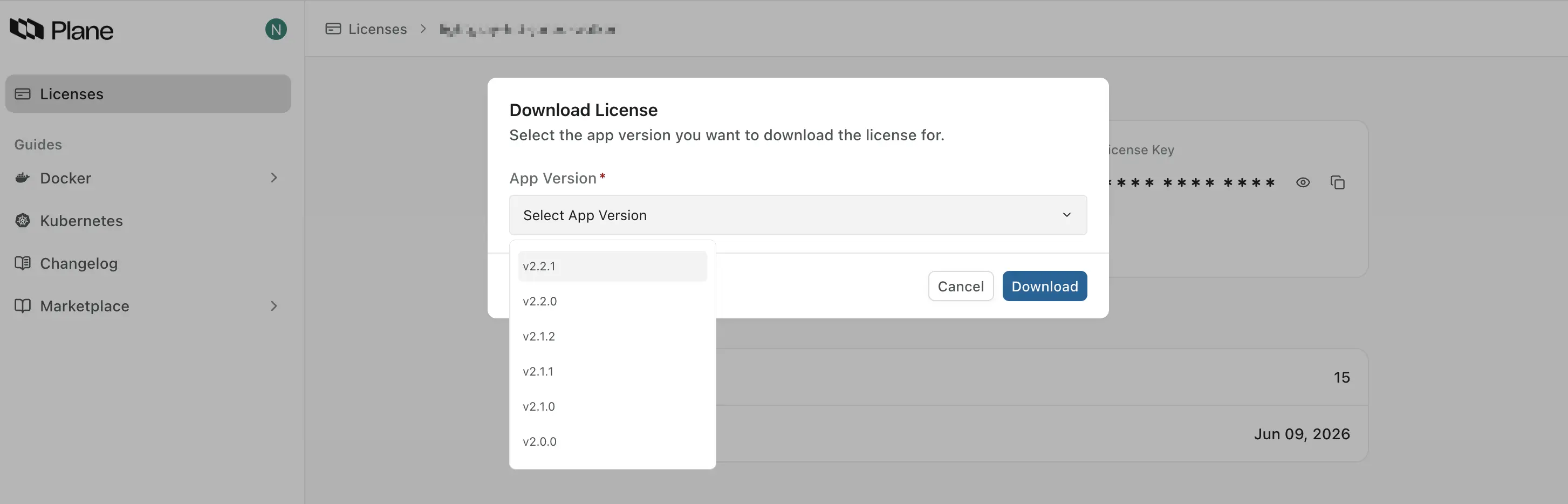
- Click Download license to download the license file for your Plane version.
- Navigate to the Workspace Settings in the Plane application.
- Select Billing and plans on the right pane.
- Click the Activate this workspace button.
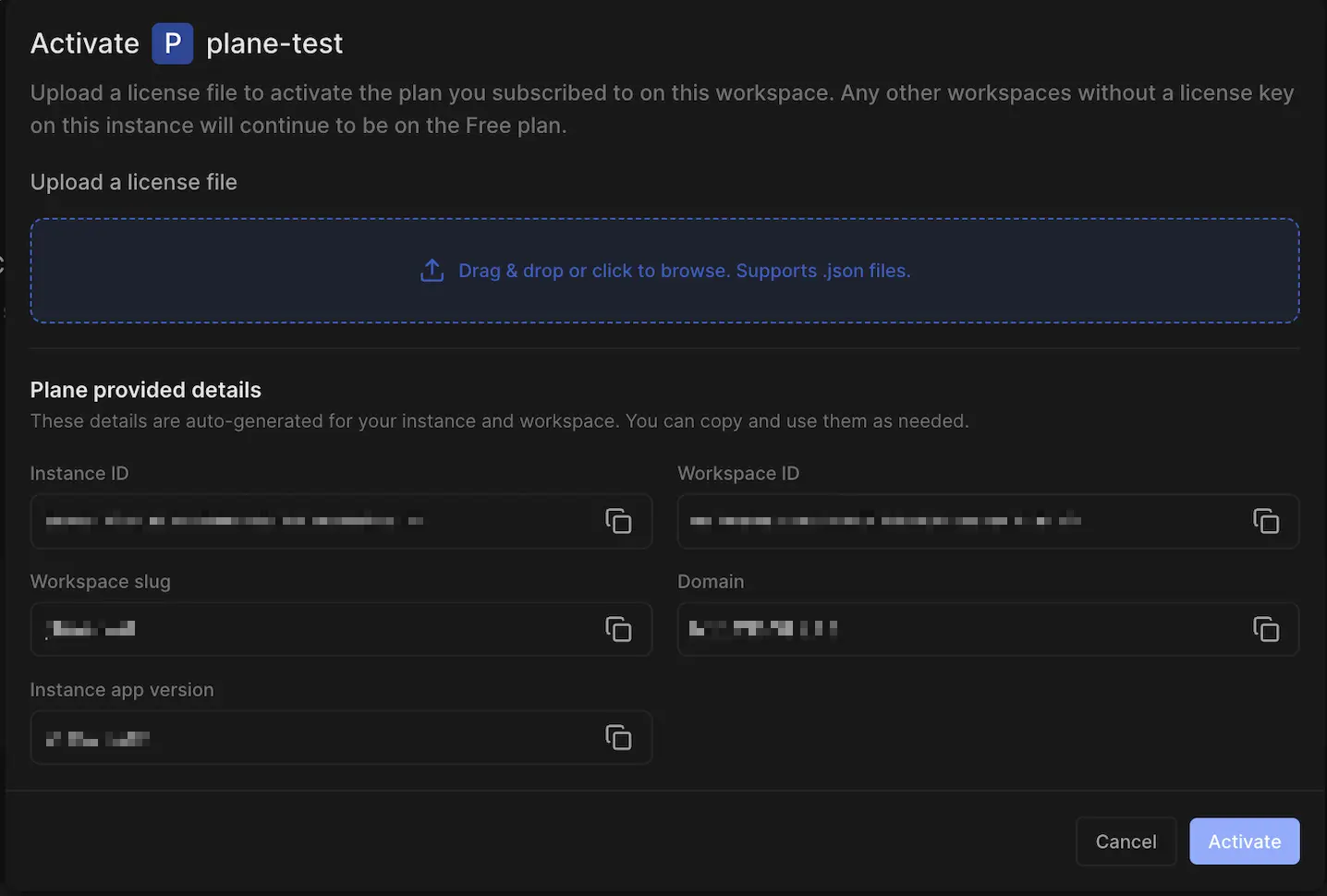
- Upload the license file to activate your workspace.
You now have Plane running in your air-gapped environment. If you run into any issues, check the logs, or reach out to our support team for assistance.